Summary
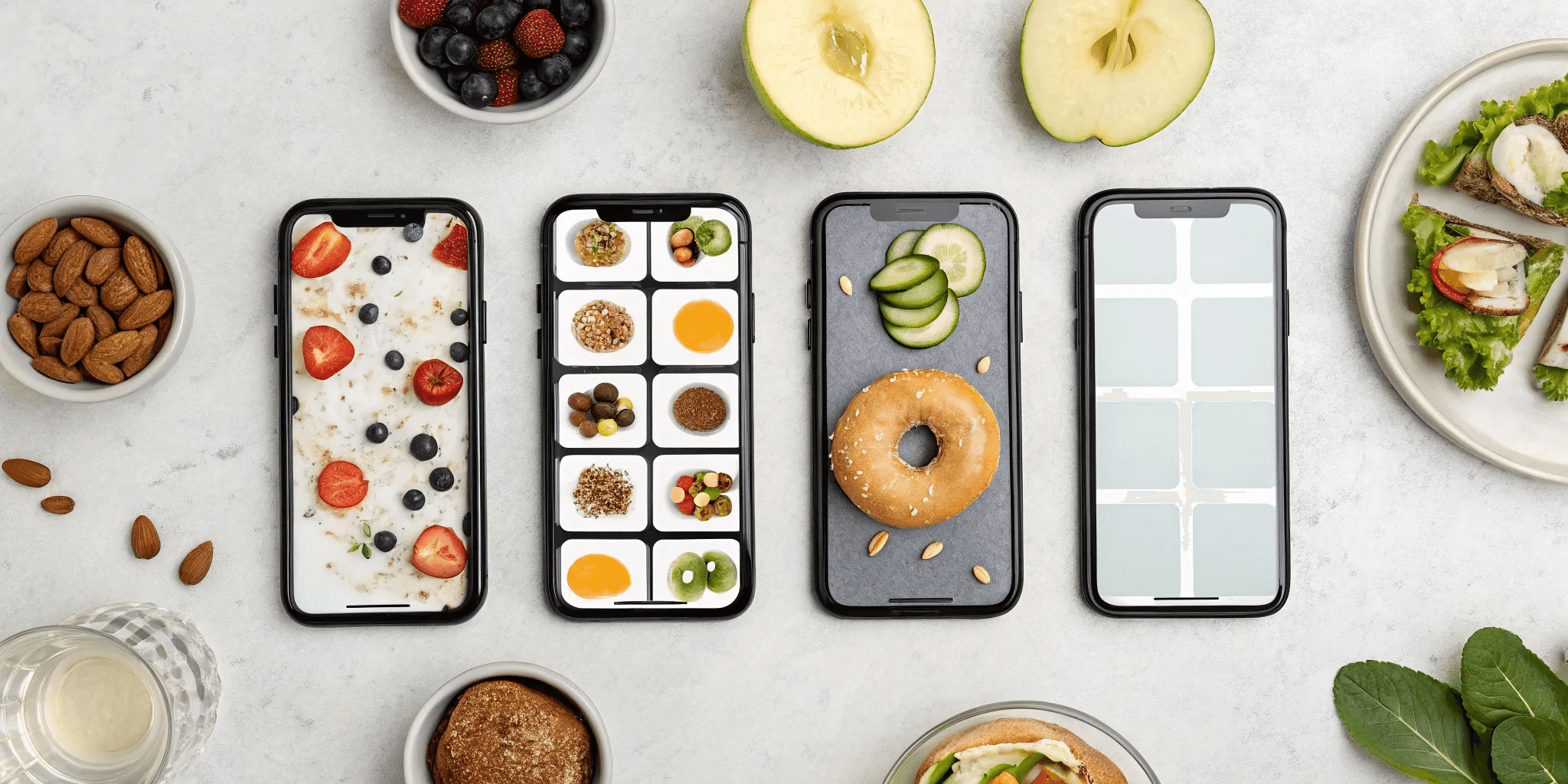
Taking a quick photo of your plate gives you clearer, more immediate insight into how specific foods affect your blood sugar than a traditional written log.
The most effective food diary apps connect directly with your CGM, use AI to recognize food and estimate carbs, and turn your data into simple, actionable reports.
Consistency matters more than perfection, so pick an app that fits your lifestyle and stick with regular logging to reveal meaningful blood sugar patterns over time.
A comprehensive program like Heald pairs visual food logging with CGM data and a care team, while simpler apps like MySugr, Glucose Buddy, MyNetDiary, Carbs & Cals, and SNAQ each suit different tracking needs and budgets.
Managing type 2 diabetes is less about following rigid rules and more about building smarter, sustainable habits. The problem with traditional food logs is that they often feel like a chore, making them hard to stick with. A visual food diary works differently by tapping into how our brains actually learn. Seeing a photo of your meal creates a much stronger mental connection to its effect on your body than a line of text ever could. This powerful visual feedback helps reinforce positive choices and makes it easier to build new routines. This psychological advantage makes a visual food diary for blood sugar control a game-changer for creating lasting change, not just temporary fixes.
Key Takeaways
Connect your food to your feedback: Taking a quick photo of your plate provides clear, immediate insight into how specific foods affect your blood sugar, making it much easier to spot patterns than with a traditional written log.
Look for features that do the work for you: The most effective apps connect directly with your CGM, use AI to recognize food and estimate carbs, and present your data in simple reports, giving you actionable information without the manual effort.
Aim for consistency, not perfection: The best app is one that fits your lifestyle and goals. Focus on building a regular tracking habit, because consistent data over time is what truly helps you understand your body and make lasting changes.
What is a Visual Food Diary? (And How It Helps Your Blood Sugar)
If you’ve ever tried to manage your blood sugar, you’ve probably been told to keep a food log. For many of us, that means meticulously writing down every meal, snack, and drink, which can feel like a full-time job. A visual food diary changes the game. Instead of writing everything down, you simply snap a photo of your plate before you eat.
This simple action does more than just save you time. It creates a powerful, immediate connection between the food you’re about to eat and the data you see on your continuous glucose monitor (CGM) later. When you can visually pair that bowl of pasta or that apple with the corresponding spike or gentle curve in your glucose levels, patterns become crystal clear. It transforms abstract carb counts and portion sizes into real, tangible feedback, helping you understand exactly how your body responds to different foods.
The Science Behind the Snap
So, how does a simple photo turn into valuable health information? The magic is in the technology. Most visual food diary apps use artificial intelligence (AI) to analyze your photo. The app recognizes the foods on your plate, estimates portion sizes, and provides a breakdown of the nutritional information, including the all-important carbohydrate count.
This isn't just a guess; it's a data-driven estimate that gets smarter over time. The best apps let you see exactly how your meals affect your blood sugar levels and, crucially, how long you stay in your target range. This metric, often called Time-in-Range, is a key indicator of successful diabetes management. By connecting a photo to this data, you get a clear cause-and-effect picture that a written log just can't provide.
Real Benefits for Managing Diabetes
Using a visual food diary helps you move from guessing to knowing. Many people struggle to accurately determine the impact of their meals on their blood sugar, which is a huge barrier to effective management. A visual log cuts through that confusion. You can quickly pinpoint which meals keep your glucose stable and which ones send it on a rollercoaster.
This approach makes self-management much more intuitive and less of a chore. Instead of relying on memory or vague notes, you have a clear visual record. Over time, you can use this diary to laser in on foods that specifically affect your blood sugar, leading to better daily control. For many, diabetes apps are a promising and effective addition to traditional self-management strategies, which can often be time-consuming and hard to stick with consistently.
Our Top Picks: The Best Visual Food Diary Apps
So, you're ready to find an app that truly works for you. The great news is there are some fantastic options out there, each with its own unique strengths. Some are straightforward trackers designed for quick logging, while others offer a more complete support system to guide you. We’ve reviewed the most popular choices to help you figure out which one best fits your life and your health goals. Before you decide, think about what you need most. Is it fast carb counting, detailed nutritional data, or a fully guided program with expert oversight? Let's walk through our top picks to find your perfect match.
Heald: For an All-in-One Approach
Heald isn't just a food diary app; it's a complete program designed to help you achieve type 2 diabetes reversal. The visual food log is one integrated piece of a much bigger puzzle. You'll snap photos of your meals, and the app works directly with your continuous glucose monitor (CGM) to show you the real-time impact of your food choices. But the real difference is the human touch. Your dedicated care team—including nutritionists, physicians, and coaches—reviews your logs to provide personalized feedback, helping you build sustainable habits that last. It’s the ideal choice if you want a guided, supportive system, not just another app to manage on your own.
MySugr
Think of MySugr as your digital logbook for everything diabetes-related. It’s a straightforward and friendly place to track your blood sugar, carbs, insulin, and activity all in one spot. The app does a great job of creating clear summaries, so you can see your blood sugar trends over time without getting lost in the numbers. One of its most practical features is the ability to download and share reports directly with your doctor, making your appointments more productive and informed. It’s a solid, user-friendly option for keeping all your important data neatly organized.
Glucose Buddy
Glucose Buddy aims to be your one-stop shop for diabetes management. It brings all your health information together, from glucose readings to meals and medication. The food diary uses AI to help you count carbs, which can take some of the guesswork out of logging your meals. What’s really helpful is how it visualizes your blood sugar patterns after you eat, giving you clear feedback on how different foods affect you personally. If you’re looking for an app that helps connect the dots between your meals and your glucose levels, this is a strong contender.
MyNetDiary
While MyNetDiary is well-known for weight management, its detailed tracking features are also excellent for diabetes. The app’s biggest strength is its massive food database, which provides in-depth nutritional facts for almost anything you can think of. This is perfect if you want to go beyond just counting carbs and monitor other key nutrients like fiber, protein, and fats. You can also easily share your meal data with your doctor or nutritionist, making it a powerful tool for anyone focused on the fine details of their diet.
Carbs & Cals
If you’ve ever struggled with estimating portion sizes, Carbs & Cals might be the perfect app for you. Its entire approach is built around photos. The app shows you pictures of different foods in various portion sizes, along with their corresponding carb and calorie counts. This visual method helps you get much better at eyeballing your meals when you’re eating out or don’t have a food scale handy. It’s a simple but incredibly effective tool for making carb counting less of a chore and more intuitive.
SNAQ
SNAQ is all about speed and insight. The app uses AI to analyze photos of your meals, helping you quickly count carbs and understand the nutritional content. You just snap a picture, and SNAQ does the heavy lifting. One of its standout features is showing how your meals impact your blood sugar "Time-in-Range," a key metric for diabetes management. This gives you immediate feedback on your food choices, helping you learn what works best for your body. It’s a great option for anyone who wants a fast, tech-forward way to connect their diet with their glucose data.
Must-Have Features for Your Food Diary App
With so many apps available, it can be tough to know which one is worth your time. The best visual food diaries aren't just about taking pictures of your meals. They are powerful tools that turn those photos into actionable insights for managing your blood sugar. When you're comparing options, look for a few key features that separate the good apps from the great ones. These features are designed to make tracking easier, more accurate, and genuinely helpful, giving you a clearer picture of how food impacts your body. Think of your app as a partner in your health journey. It should simplify your life, not complicate it.
Connects with Your CGM
The most powerful feature you can find is the ability to sync your food log directly with your health data. As one review notes, "Apps that link with your glucose monitor (CGM) or blood sugar meter, insulin pens, and activity trackers are very helpful." This integration is a game-changer. It automatically pairs what you eat with your real-time glucose response, closing the feedback loop between your meals and your blood sugar. Instead of guessing how that slice of pizza affected you, you can see the data laid out clearly. This direct connection helps you spot patterns and make smarter food choices with confidence.
Smart Photo Recognition & Carb Counting
Manually logging every ingredient is tedious and a major reason people stop tracking. That's where AI comes in. An app with smart food recognition lets you "just snap a picture of your food, and its AI helps count carbs." This technology dramatically speeds up the logging process and reduces the mental load of carbohydrate counting. When logging is as simple as taking a photo, you're far more likely to stick with it. This consistency is key to gathering the data you need to understand your body's unique responses and build sustainable habits.
Clear Reports on Your Blood Sugar Trends
Data is only useful if you can understand it. A top-tier app won't just show you a stream of numbers; it will organize them into clear, insightful reports. For example, one study found that certain apps could display a blood sugar report sorted by the day of the week, which helps you identify weekly patterns and build competence in your diabetes care. Look for features like trend graphs, meal-specific glucose spikes, and daily or weekly summaries. These reports transform raw data into a clear story, showing you what’s working and where you can make adjustments.
Works with Your Devices & Lets You Share Data
Managing your health is often a team effort. The best apps recognize this and make it easy to connect your data across platforms and with your support system. Some apps allow you to "share your information with your healthcare team to help them guide you better." This feature is invaluable, as it allows your doctor, nutritionist, or health coach to see your daily logs and provide personalized, timely advice. Seamless integration ensures that everyone on your team has the same information, empowering you to work together toward your health goals.
How the Top Apps Stack Up
Choosing the right app feels like a big decision, because it is. You’re trusting it to help you manage your health, so it needs to be reliable, easy to use, and worth the investment. When you’re comparing different visual food diaries, these are the three biggest factors to consider. A great app should feel like a supportive partner, not another chore on your to-do list. It needs to deliver accurate information without making you jump through hoops, and its cost should align with the value it provides. Let’s break down what to look for in each of these areas so you can find the perfect fit for your lifestyle and health goals.
How Accurate is the Food Recognition?
This is the most important feature of any visual food diary. If an app can’t accurately identify what’s on your plate, its carb counts and nutritional estimates will be off, which can make it difficult to understand your blood sugar response. Some apps are powered by advanced AI, while others rely on more basic image recognition or even manual input from a database. Research shows that when apps are too complex or inaccurate, users struggle to track their food intake and its effect on their glucose. The goal is to find an app that consistently gets it right, giving you confidence in the data you’re using to make decisions about your health.
Is It Easy and Enjoyable to Use?
An app can have the most advanced technology in the world, but if it’s clunky and frustrating, you won’t stick with it. Consistent tracking is the key to seeing patterns and making progress, so the user experience is everything. Many people stop using health apps because of poor design and confusing navigation. A great app should make logging your meals feel effortless, not like a puzzle. Look for a clean, intuitive interface that lets you snap a photo and get your insights in just a few taps. The easier an app is to integrate into your daily routine, the more likely you are to build a lasting habit of self-monitoring.
What's the Cost? (And Are There Free Trials?)
Visual food diary apps come with a range of price tags. Some, like FoodView, are completely free, making them a great starting point. Others operate on a "freemium" model, offering basic features for free with an option to upgrade for more advanced tools. Finally, you have premium, subscription-based platforms that provide comprehensive features and support. While free is always tempting, remember that you often get what you pay for. Paid apps typically offer better accuracy, a smoother user experience, and more in-depth analytics. Many paid apps, like AteMate, offer a free trial, which is the perfect way to see if an app is a good fit before you commit.
Facing Common Challenges (And How to Win)
Starting with a new visual food diary app is exciting. It feels like you finally have a powerful tool to connect what you eat with how you feel. But after a few days, reality can set in. The app might misidentify your chicken salad as a burrito, you might forget to log your afternoon snack, or your glucose monitor might refuse to sync. It’s easy to get frustrated and feel like the whole thing is more trouble than it’s worth.
Let’s get one thing straight: these hurdles are completely normal. They are not a sign that you’re failing or that the app isn’t for you. Technology is a fantastic assistant, but it’s not perfect, and building new habits takes time. The real goal isn’t to create a flawless logbook; it’s to gain a deeper understanding of your own body. True success in managing your health comes from learning how to work through these small points of friction without getting discouraged. Think of it as a learning curve. With a few simple strategies, you can handle the common bumps in the road and turn your food diary into a sustainable, empowering habit.
Dealing with Inaccurate Logs
It’s frustrating when you snap a photo of your meal and the app’s AI gets it wrong. While the technology is smart, it can’t always tell the difference between whole-wheat and white pasta or guess the ingredients in your sauce. Inaccurate logs make it tough to see how certain foods truly impact your blood sugar. The key is to treat the AI’s suggestion as a starting point, not the final word.
Before you save an entry, take five seconds to review it. Make quick manual adjustments to ingredients or portion sizes. You can also use the notes feature to add details the camera can’t see, like hidden sugars in a dressing or the type of oil used. The goal isn’t perfection with every single entry. It’s about being consistent enough to see the larger patterns over time.
Staying Motivated to Track Consistently
Logging everything you eat can feel like a chore, especially on busy days. When tracking starts to feel like a burden, it’s tempting to let the habit slide. The best way to stay on track is to make the process as simple as possible and to remember why you started in the first place.
If you’re feeling overwhelmed, start small. Commit to logging just one meal a day for a week. Once that feels automatic, add a second. Use your app’s built-in reminders for a gentle nudge. Most importantly, connect your daily tracking to your long-term goals. When you see a week of consistent logging result in more stable glucose levels, take a moment to celebrate that win. This positive feedback is a powerful tool for building a lasting habit.
Solving Tech and Syncing Issues
Nothing kills your tracking momentum faster than a tech glitch. You’re ready to review your data, but your CGM and your food diary app aren’t talking to each other. These integration challenges are a common headache, but most are surprisingly easy to fix.
First, try the simple stuff. Make sure your phone’s software and the app are both updated to the latest version. Often, a quick restart of your phone and connected devices will solve the problem. You should also double-check your phone’s Bluetooth settings to ensure everything is properly paired. If you’re still stuck, don’t waste time getting frustrated. Head straight to the app’s help section or contact their support team. They’ve seen it all before and can get you back on track.
Simple Strategies for Success
The people who get the most out of these apps don’t worry about being perfect; they focus on being consistent. Effective self-management is built on the small, repeatable actions you take every day. If you miss logging a meal or even an entire day, don’t sweat it. Just pick it back up with your next meal. The goal is progress, not perfection.
The real breakthrough happens when you start connecting the dots between your actions and your data. Look for patterns. How did that morning walk affect your post-lunch glucose reading? What happens when you eat carbs on their own versus with protein and fat? By looking at your food, activity, sleep, and stress data together, you move beyond just tracking and start creating a personalized roadmap to better health.
Your Game Plan for Getting the Most Out of Your App
Downloading an app is the easy part. Turning it into a powerful tool for managing your health takes a little strategy. Think of it as setting the stage for success. By putting a few simple practices in place from the start, you can make tracking feel less like a chore and more like a clear path to understanding your body. These steps will help you get accurate data, find meaningful patterns, and build a routine that sticks, so you can get the most out of whichever app you choose.
Set Up Your Profile for Success
Before you snap your first photo, take five minutes to fill out your profile completely. It’s tempting to skip this, but this information is what allows the app to personalize its feedback for you. Adding details like your age, weight, height, and activity level helps the app’s algorithm provide more accurate estimates for things like carb counts and calorie needs. Diabetes apps are a promising addition to your self-management plan, and a complete profile ensures the experience is tailored to your specific goals. Be sure to also input any health conditions or dietary preferences, as this will fine-tune the insights you receive.
Take Better Food Photos for Accurate Logs
The "visual" part of a visual food diary is key to getting good data. You don’t need to be a professional photographer, but a clear photo makes a world of difference for the app's food recognition AI. Many people have difficulty determining how certain foods impact their blood sugar, and a crisp image is the first step to clarity. For the best results, take your photo from directly above your plate in good, natural light. If your meal has multiple components, try to space them out a bit so the app can see each one. A blurry, dark photo can lead to a wrong guess, but a bright, clear one gives you and your care team the accurate information you need.
Learn to Read Your Blood Sugar Patterns
Your app will soon be full of data, which can feel overwhelming. The goal isn't to analyze every single number but to spot meaningful patterns over time. Some apps can feel too complex, so start simple. Look for cause and effect. When you eat a certain meal, what does your glucose do one or two hours later? How does a morning walk impact your levels for the rest of the day? Instead of focusing on a single day, zoom out and look at your weekly trends. This is how you turn raw data into powerful insights that help you make informed decisions about your health.
Build a Tracking Habit That Lasts
Consistency is the secret to long-term success. Research shows that self-monitoring your food, activity, and glucose is a cornerstone of effective diabetes self-management. To make tracking a lasting habit, try linking it to something you already do. This is a technique called "habit stacking." For example, log your meal right after you put your fork down, before you clear the table. Find a time of day that works for you, like reviewing your entries each night before bed. The more you can integrate tracking into your existing routine, the more automatic it will become, giving you a steady stream of information to work with.
Which App is Right for You?
The best visual food diary is the one you’ll actually use. Your personality, goals, and how much time you want to spend tracking all play a role in finding the right fit. Are you looking for a comprehensive partner in your health journey, or do you just need a quick and easy way to log your meals? Let’s break down which type of app might be the best match for you.
If You Want a Complete, Guided Program
If you’re looking for more than just a tracker, a comprehensive program is your best bet. This approach is for you if you want expert guidance, personalized feedback, and a clear plan that connects your food choices to your overall health. Instead of just giving you data, these platforms help you understand it. They often include access to a care team of nutritionists, coaches, and diabetes specialists who can help you turn your insights into lasting habits.
Research shows that diabetes apps can be a powerful addition to your self-management routine, especially when they offer structured support. An all-in-one platform like Heald is built on this idea, combining visual food logging with CGM data, activity tracking, and professional guidance to help you see the big picture and make meaningful changes.
If You Just Want to Snap and Track
Don’t have time for detailed data entry? No problem. If your main goal is to quickly capture what you eat and see its immediate impact, a simple "snap and track" app is perfect. These apps are designed for speed and convenience, using AI to identify your food from a photo and estimate the nutritional information. This removes the friction of manually typing in every ingredient, making it easier to stay consistent.
Apps like SNAQ are leaders in this category. You just take a picture of your plate, and the app does the heavy lifting of counting carbs and other nutrients. It’s an ideal solution for busy people who want a straightforward way to connect their meals with their blood sugar readings without getting lost in the details.
If You're Focused on Nutritional Details
For the data-driven user who loves digging into the details, a nutrition-focused app is the way to go. If you want to understand precisely how macronutrients like protein, fat, and fiber affect your glucose levels, you’ll need an app that goes beyond basic carb counting. These tools let you log detailed nutritional information for every meal, giving you a granular view of your diet.
This approach is similar to keeping a detailed diabetes food journal, where you can track everything from calories to specific nutrients. Apps like MyNetDiary and Carbs & Cals excel here, offering extensive food databases and detailed reporting. This is a great choice if you’re ready to analyze your patterns and fine-tune your diet based on specific nutritional targets.
If You're on a Budget
You don’t need to spend a lot of money to start tracking your food. If you’re just getting started or prefer a no-cost option, there are several free apps that can help you build the habit of visual food logging. While they may not have the advanced features of paid platforms, like CGM integration or personalized coaching, they provide a simple and effective way to become more mindful of your eating habits.
A great example is FoodView, a free app focused entirely on making photo food diaries as easy as possible. It skips calorie counting and manual entry, letting you simply snap photos of your meals. This can be a fantastic first step toward understanding your diet and how it makes you feel, without any financial commitment.