Summary
Taking a photo of your meal is faster and more reliable than manual logging, creating an objective visual diary that shows your true eating patterns without the bias of memory or guesswork.
The most effective apps sync with a Continuous Glucose Monitor (CGM), showing the immediate cause-and-effect relationship between what you eat and how your glucose levels respond.
The best app is one you'll actually use consistently, so choose one that fits your daily routine, works with your existing health devices, and provides data you can share with your care team.
Look for automatic carb counting, CGM integration, an accurate nutritional database, and habit-building tools that go beyond simple tracking to help you understand your patterns.
You ate a meal that seemed perfectly healthy, but an hour later, your glucose monitor tells a different story. That frustrating, unexpected spike can make managing type 2 diabetes feel like a confusing guessing game. The truth is, everyone’s body responds to food differently. What works for one person might not work for you. The key to gaining control is understanding your unique patterns. A photo food log app for diabetes acts as your personal health detective, pairing a visual record of your meal with your real-time glucose data. This simple connection helps you finally see the clear cause-and-effect relationship between what you eat and how you feel, empowering you to make smarter choices.
Key Takeaways
Capture Your Meals Accurately with a Simple Photo: Taking a picture of your food is faster and more reliable than manual logging. It creates an objective visual diary, helping you and your care team see your true eating patterns without the bias of memory or guesswork.
Connect Food Choices to Blood Sugar in Real-Time: The most effective apps sync with your Continuous Glucose Monitor (CGM). This integration is crucial because it shows you the immediate cause-and-effect relationship between what you eat and how your glucose levels respond.
Choose an App That Fits Your Life and Goals: The best tool is one you'll use consistently. Look for an app that matches your daily routine, works with your existing health devices, and provides data you can share with your care team to make informed decisions.
What Is a Photo Food Log App?
If you’re managing type 2 diabetes, you know that tracking what you eat is a critical piece of the puzzle. But manually writing down every meal, snack, and drink can feel like a chore. That’s where a photo food log app comes in. Think of it as a visual food diary that lives on your phone. Instead of typing out ingredients and estimating portion sizes, you simply take a picture of your meal.
A diabetes food tracker app is designed to be a helpful tool for planning meals and keeping your blood sugar within your target range. It streamlines the entire process, reducing the time you spend figuring out if a meal aligns with your health goals. By making logging faster and more intuitive, these apps help you stay consistent. The goal isn’t just to record data, but to build a clear picture of how your food choices directly impact your health, making it easier to connect the dots and make informed decisions every day.
How Does Photo Logging Work?
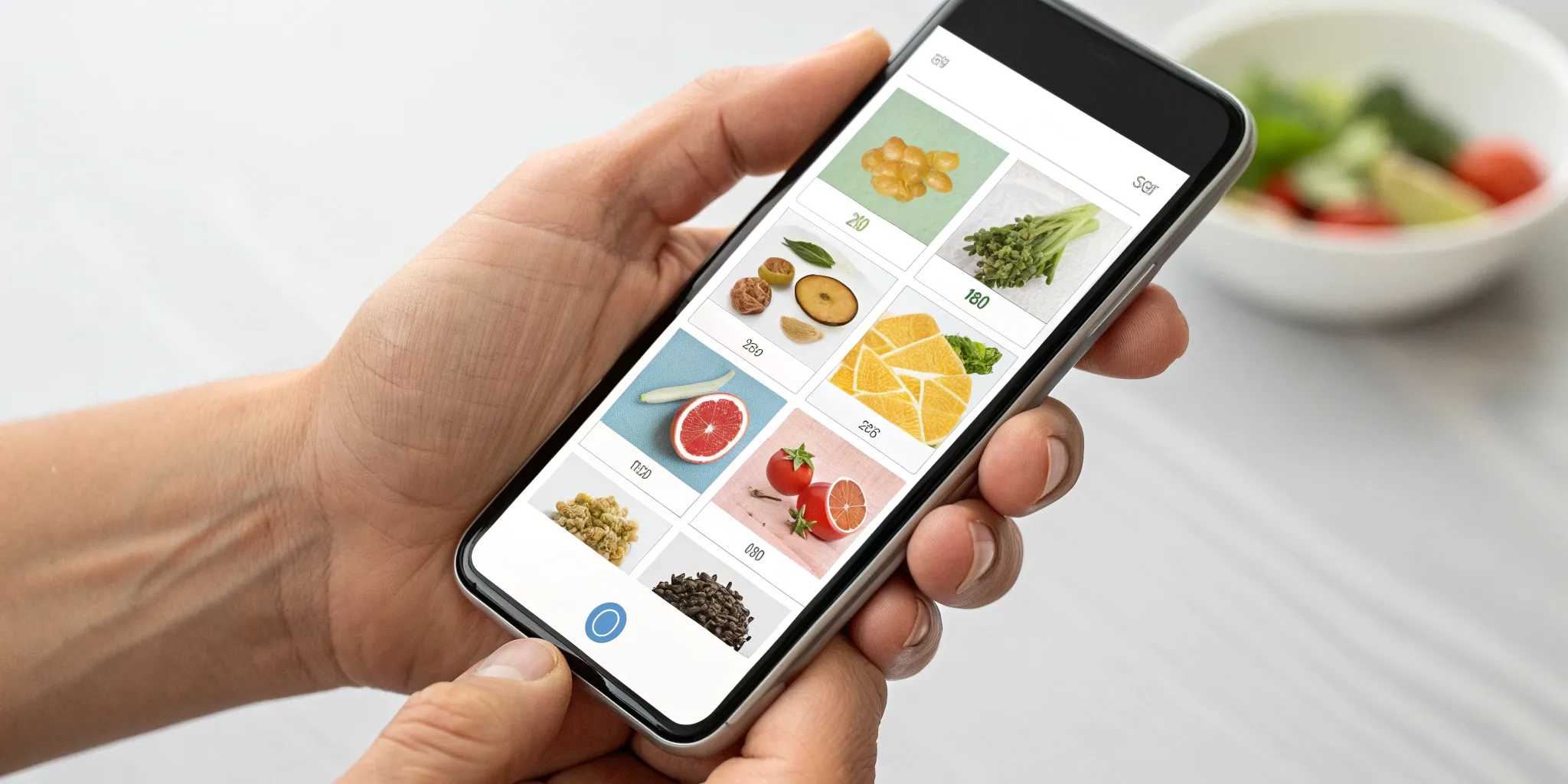
The process is as simple as it sounds. You take a picture of your meal to quickly log it, and the app’s technology gets to work. Using image recognition, it identifies the different foods on your plate and provides a breakdown of the nutrition details, including carbohydrates, protein, and fat. This visual approach removes the guesswork and tedious data entry that comes with traditional food tracking.
The idea is to make keeping a food diary incredibly quick and straightforward. Instead of trying to remember every ingredient or searching through a database, you just snap a photo before you eat. This simple action captures the meal exactly as it is, creating an accurate and easy-to-reference log of your eating habits over time.
How It Helps Manage Blood Sugar
A photo food log does more than just record what you eat; it helps you understand your body’s unique response to food. By pairing your meal photos with your glucose readings, the app helps you spot your personal patterns. You can start to see exactly how that bowl of oatmeal affects you versus how scrambled eggs do, empowering you to make smarter choices for your next meal.
This connection between food and real-time data is powerful. In fact, studies show that consistent tracking can lead to meaningful improvements in how long your blood sugar stays in a healthy range. Over time, this detailed feedback loop allows you to make small, effective changes to your habits. Some apps for managing diabetes even help you see trends in your A1C, giving you the insight to adjust your approach long before your next doctor’s visit.
Why Photo Logging Is Better Than Manual Tracking
If you’ve ever tried to manually log your meals, you know the drill. You find yourself searching through endless food databases, guessing portion sizes, and trying to remember if you added a splash of cream to your coffee. It’s tedious, time-consuming, and often, inaccurate. This is where photo food logging changes the game. Instead of typing, you just snap a picture of your meal.
This simple switch from manual entry to a quick photo does more than just save you time. It provides a more accurate, honest, and insightful look into your eating habits, which is essential when you’re managing your blood sugar. By creating a visual diary, you eliminate the guesswork and memory recall that can sabotage your efforts. It’s a more intuitive and sustainable way to track your nutrition, helping you build a consistent habit that provides the clear data you and your care team need to make meaningful adjustments to your health plan.
Visual Accuracy Over Guesswork
When you manually log food, you’re relying on memory. It’s easy to forget the handful of almonds you grabbed on your way out the door or the extra pat of butter on your toast. A photograph, however, is an objective record. It captures everything on your plate—and in your bowl or cup—with perfect accuracy.
This visual truth gives you and your health coach a much clearer picture of your actual eating patterns. While some apps try to help you understand portion sizes with generic food photos, a picture of your own meal is the ultimate source of truth. It removes the bias of memory and estimation, leading to more honest conversations and more effective strategies for managing your glucose levels.
Save Time with a Simple Snap
Let’s be honest: the biggest reason most of us quit food logging is that it takes too much time. Manually searching for every ingredient, measuring quantities, and adding it all up can feel like a part-time job. Photo logging streamlines this entire process into a few seconds. You just point your phone, take a picture, and let the app’s technology do the heavy lifting.
This convenience is critical for building a lasting habit. When a task is quick and simple, you’re far more likely to do it consistently. Instead of interrupting your meal for five minutes of data entry, you can capture the information you need instantly and get back to enjoying your food. This ease of use makes tracking feel less like a chore and more like a natural part of your routine.
Estimate Portion Sizes More Easily
“One medium apple.” “Three ounces of chicken.” What do these portions actually look like? For most people, estimating portion sizes is the hardest part of food logging. This is where the AI behind photo logging apps truly shines. By analyzing the food on your plate relative to the plate itself, the technology can make a surprisingly accurate estimate of volume and weight.
This removes a huge amount of mental effort and the need to carry a food scale everywhere you go. Getting portion sizes right is crucial for accurate carbohydrate counting and understanding how a meal will impact your blood sugar. When your app has better data, it can provide more personalized and effective suggestions to improve glucose levels, helping you connect the dots between what you eat and how you feel.
Key Features to Look For in a Food Logging App
When you’re managing diabetes, a food log is more than just a calorie counter—it’s a critical tool for understanding how your body responds to what you eat. But with so many apps out there, it's easy to feel overwhelmed. The right app can feel like a personal health detective, connecting the dots between your meals and your blood sugar. The wrong one just feels like a chore. To find a tool that truly supports your health goals, you need to look past the flashy marketing and focus on the features that deliver real, actionable insights.
It's about finding a partner in your health journey, one that simplifies the process and empowers you with clear data. A great app should do more than just record what you eat; it should help you see patterns, understand triggers, and make informed decisions that move you closer to your goals. We'll walk through the non-negotiable features that separate the best apps from the rest, helping you choose a tool that works for you, not against you.
Automatic Carb Counting
This is a big one. Manually calculating carbohydrates for every meal is tedious and prone to error. The best food logging apps take this task off your plate. Look for an app that can automatically estimate the carb count from a photo or a quick barcode scan. This feature is a game-changer, saving you precious time and mental energy. More importantly, accurate carbohydrate counting is fundamental to managing blood sugar levels. When your app does the heavy lifting, you can focus less on the math and more on how different foods make you feel, leading to smarter, more confident food choices every day.
CGM and Blood Glucose Integration
This is where the magic really happens. An app that syncs with your Continuous Glucose Monitor (CGM) or blood glucose meter closes the loop between your actions and their outcomes. Instead of just logging what you ate, you can see its direct impact on your glucose levels in near real-time. This immediate feedback is incredibly powerful. It helps you identify which meals work best for your body and which ones might need adjusting. Seeing that cause-and-effect relationship right on your screen transforms abstract data into a personal, actionable lesson, making it one of the most valuable features for anyone serious about managing their diabetes.
Accurate Nutritional Database
A food logging app is only as good as its data. A weak or inaccurate food library can lead to flawed insights and frustration. The best apps have a massive, verified database that includes everything from whole foods and generic meals to specific branded products and restaurant dishes. This makes logging fast, simple, and, most importantly, reliable. You should be able to quickly find what you ate and trust that the nutritional information—especially the carb count—is correct. A comprehensive database ensures you can track your intake accurately, no matter where you are or what you're eating.
Tools to Build Better Habits
Logging food is the first step, but the ultimate goal is to build lasting, healthy habits. A great app should support this journey. Look for features that go beyond simple tracking, like the ability to monitor macronutrients (protein, fat, and carbs), log exercise, and track your weight over time. Some apps even offer insights and patterns based on your logs. These tools help you see the bigger picture of your health. They shift the focus from just recording data to understanding it, empowering you to make sustainable lifestyle changes. After all, the goal isn't just to log food forever; it's to build habits that lead to better health.
The Top Photo Food Log Apps for Diabetes
Finding the right app can feel like a big decision, but the good news is that there are excellent options designed for different needs and goals. Some apps focus on making tracking fun, others prioritize nutrition education, and some are part of a complete health program. The best choice for you depends on what you're looking for—whether it's a simple tool to log meals or a comprehensive system to guide your health transformation. Let's look at five of the top contenders to see how they stack up.
Heald: A Complete Diabetes Reversal Program
Heald is much more than a food logging app; it’s a comprehensive diabetes reversal program where photo food logging is one piece of a much larger puzzle. This platform is designed for people who want to address the root causes of type 2 diabetes through lasting lifestyle changes. The app integrates with a continuous glucose monitor (CGM) to give you real-time feedback on how your meals affect your blood sugar. But its real strength lies in its holistic approach. Heald combines technology with a dedicated human care team—including physicians, nutritionists, and behavioral coaches—to create a plan that’s customized to your body and lifestyle. It focuses on the psychology behind your habits, helping you build sustainable routines around nutrition, activity, sleep, and stress for long-term success.
mySugr: Gamified Diabetes Tracking
If you find daily tracking to be a chore, mySugr might be the perfect fit. Its mission is to make managing diabetes less of a burden. As their team says, “In the mySugr app you can log important therapy data such as blood sugar, meals, activity, insulin, and so much more!” The app uses challenges, points, and personalized feedback to keep you motivated and engaged with your health data. You can log meals with photos and notes, and it syncs with a variety of blood glucose meters. The friendly monster avatar cheers you on, turning the repetitive task of logging into a more positive and interactive experience. It’s a great tool for staying consistent while keeping your spirits up.
Fooducate: A Focus on Nutrition Quality
Fooducate is designed to be your personal nutrition coach. It goes beyond simple calorie and carb counting to teach you about the quality of your food. You can scan a barcode or snap a photo of your meal, and the app will assign it a grade (from A to D) based on its nutritional value. This helps you quickly understand what’s in your food, from added sugars to hidden trans fats. According to a review from Type 1 Strong, “Fooducate scans food barcodes, rates foods, and teaches you about healthy eating, making it easier for users to make informed dietary choices.” It’s an excellent choice if your goal is to build a deeper understanding of nutrition and make healthier choices at the grocery store.
MyFitnessPal: An Extensive Food Library
MyFitnessPal is one of the most popular health and fitness apps available, and for good reason. Its biggest strength is its massive food database, which makes it easy to find and log almost any food you can think of, whether it's a home-cooked meal or an item from a restaurant menu. While not exclusively for diabetes, it’s a powerful tool for tracking macronutrients. As noted by Everyday Health, the app offers “a food diary, macro tracker, calorie counter, weight log... and exercise tracker, making it a versatile tool for managing diabetes.” If you want a robust, all-purpose tracker with a huge community and countless integrations, MyFitnessPal is a solid and reliable option.
Lose It!: Simple Photo-Based Logging
Lose It! is primarily known as a weight loss app, but its simple and effective food logging features make it a contender for diabetes management, too. The app’s “Snap It” feature allows you to take a picture of your meal, and it will use image recognition to identify the foods and suggest entries for your log. This can be a real time-saver. The interface is clean and user-friendly, focusing on calorie and macro tracking to help you meet your goals. While it may not have the in-depth diabetes-specific reports of other apps, its straightforward approach to photo logging and its supportive community make it a great starting point for anyone looking to become more mindful of their eating habits.
Comparing the User Experience
An app can have all the features in the world, but if it’s a pain to use, you’ll probably delete it within a week. The user experience is what separates a helpful tool from a digital chore. When you’re building a new habit like logging your meals, you need the process to be as smooth and simple as possible. The real test is how well an app fits into your daily life and makes managing your health easier, not more complicated. Let’s compare how the top apps stack up in food recognition, ease of use, and what real users are saying.
How Well Do They Recognize Food?
The magic of a photo food log is its ability to see your meal and tell you what’s in it. But not all apps have the same level of vision. Some, like SNAQ, are built specifically for diabetes management. You can snap a picture of your plate, and it will identify the meal and break down its nutritional details, including carbs, protein, and fat. This detail is crucial for understanding how a meal might impact your glucose. Other apps function more like a simple photo diary—great for a visual record, but they may not provide the deep analysis you need.
Is the App Easy to Use?
A food logging app should reduce your mental load, not add to it. The best ones feel intuitive from the start. Apps like mySugr simplify the process by automatically syncing data from connected glucose meters and making it easy to add notes about meals and carb intake. The goal is to take the guesswork out of tracking. A clean interface and quick photo capture are signs of a well-designed app. If logging a meal takes more than a minute, the friction might cause you to abandon the habit. The right tool should feel like a seamless part of your routine.
What Are Real Users Saying?
Marketing can make any app sound perfect, but user reviews and retention data tell the real story. When you see that 42% of SNAQ users are still logging meals three months later, it’s a strong signal that people find it genuinely useful. App store ratings are another great place for honest feedback. For example, FoodView holds a solid 4.3-star rating from thousands of users. Reading reviews can give you insight into an app's strengths and weaknesses from the perspective of people who use it every day to manage their health.
Are Photo Food Log Apps Worth It?
Deciding to track your food is a big step, and a photo food log app can make the process feel much more manageable. Instead of meticulously typing every ingredient, you just take a picture. For many people managing diabetes, this simple switch makes all the difference in staying consistent. The core idea is that a clearer picture of what you eat leads to a clearer picture of your blood sugar patterns.
Using apps can help people manage diabetes better by simplifying the daily tasks of tracking food, activity, and glucose levels. When you can see the direct impact of your lunch on your afternoon glucose reading, you’re empowered to make more informed choices next time. It’s less about rigid rules and more about learning your body’s unique responses. While the technology is a powerful tool, it’s important to consider the practical side, like whether a free or paid version is right for you and how you’ll cover the cost.
Free vs. Paid: What's the Difference?
Many photo food logging apps offer a free version that provides a solid foundation for tracking. Typically, a free plan includes a food diary, a basic calorie and macro counter, and a place to log your weight and exercise. For someone just starting out, this can be more than enough to begin noticing patterns between their meals and how they feel. It’s a no-risk way to see if food logging is a habit you can stick with.
Paid subscriptions, however, are designed for a more detailed approach to health management. These premium versions often remove ads and provide deeper insights, like net carb tracking and advanced nutritional data. For diabetes management, the biggest benefit is often the ability to integrate data from your continuous glucose monitor (CGM) or blood glucose meter. This connects your food choices directly to your glucose levels within the app, making the cause-and-effect relationship crystal clear.
Understanding Subscription Costs
When you opt for a paid app, you’re investing in more than just the absence of ads. Subscription fees support the technology that powers features like food recognition AI, integrations with health devices, and the maintenance of a vast, verified nutritional database. Costs can range from a few dollars a month to a more significant investment for comprehensive programs that include coaching and personalized plans. Many services offer a discount for paying annually instead of monthly.
Think of the subscription as part of your overall health toolkit. Some platforms, like Heald, go beyond simple tracking. The cost covers not just the app but access to a dedicated care team of nutritionists, coaches, and diabetes specialists who help you interpret your data and turn it into a sustainable action plan. It’s a shift from just logging data to actively using it to reverse your condition.
Can You Use Your HSA/FSA?
Yes, in many cases, you can use your Health Savings Account (HSA) or Flexible Spending Account (FSA) to pay for a food logging app subscription. These pre-tax accounts are designed for qualified medical expenses, and tools that help you manage a diagnosed condition like type 2 diabetes often fit the bill. Since these apps help you handle daily tasks like logging blood sugar and meals, they can be considered a disease management tool.
Before purchasing, it’s always a good idea to confirm eligibility with your HSA/FSA administrator. Many app companies will also state on their website if their program is eligible. Using these funds is a smart way to invest in your health, allowing you to use pre-tax dollars for powerful tools that support your journey toward diabetes reversal or improved management.
Common Challenges with Photo Food Logging
Photo food logging sounds like a dream, but let's be real—technology isn't flawless. While snapping a picture is much easier than typing every ingredient, these apps come with their own set of hurdles. From misidentified foods to the simple challenge of building a new routine, it’s smart to know what you might run into. Being aware of these common issues can help you troubleshoot them and find an app that truly works for you, rather than one that just adds another task to your to-do list.
When the App Gets It Wrong
You take a perfect, well-lit photo of your meal, and the app confidently tells you your sweet potato is a butternut squash. While AI has come a long way, it can still make mistakes. Inaccuracies happen when an app misidentifies a food, can’t recognize a complex dish with hidden ingredients, or gets the portion size wrong. For someone managing diabetes, these little errors can be a big deal, leading to incorrect carb counts and skewed nutritional data. This is why it’s crucial to have an app with a strong food database that allows you to easily correct any mistakes the AI makes.
Keeping Your Health Data Private
Your food log contains a lot of personal information, from your eating habits to your glucose levels. It’s your health story, and you want to know it’s in safe hands. Most reputable apps use encryption to scramble your data and have policies against sharing it. However, it’s always a good practice to read the fine print. Before you commit to an app, take a few minutes to review its privacy policy. Understand what data is being collected, how it’s being used, and what your rights are. A little due diligence upfront can give you peace of mind later.
Making Logging a Daily Habit
The most feature-packed app in the world won't help you if you forget to use it. The biggest challenge for many people is simply consistency. Life gets busy, and it’s easy for food logging to fall by the wayside. Building a new routine takes time and effort. Some apps try to help with reminders and a user-friendly design, but the motivation has to come from you. The key is to find a process that feels less like a chore and more like a natural part of your day. Tying it to an existing habit, like logging your meal right before you take your first bite, can make a huge difference in making it stick.
How to Choose the Right App for You
With so many options available, finding the right food logging app can feel like a job in itself. The truth is, the “best” app is the one you’ll actually use consistently. It should feel less like a chore and more like a supportive tool that fits seamlessly into your life. Instead of just downloading the most popular one, take a moment to think about what you truly need. Consider your daily routine, the health devices you already use, and how this new tool will support your overall diabetes management plan.
Match the Features to Your Lifestyle
The right app should simplify your life, not complicate it. Think about your daily habits. Are you constantly on the go and need to log meals in seconds? Or do you enjoy cooking and want detailed nutritional breakdowns? A great diabetic food tracker app can reduce the amount of time you spend calculating whether a meal fits your goals. Look for features that solve your specific challenges. If you struggle with portion control, an app with strong visual estimation tools is key. If you’re busy, quick-add features or barcode scanners can make all the difference in keeping you on track.
Check Compatibility with Your Health Tools
Your food log is just one piece of the puzzle. To get a complete picture of your health, you need an app that connects with the other tools you rely on. Many apps can sync with your continuous glucose monitor (CGM), blood glucose meter, smart scale, or fitness tracker. This integration is powerful because it allows you to see the direct impact of your meals and activities on your blood sugar in one place. When your app can handle daily tasks like logging glucose, meals, and activity, it simplifies your diabetes data tracking and helps you connect the dots for better management.
Connect It to Your Overall Care Plan
An app is a powerful tool, but it’s not a replacement for a comprehensive care plan. The goal is to find an app that supports the strategy you’ve built with your healthcare team. Before committing to a subscription, consider how you’ll use the data it provides. Will you share your logs with your nutritionist? Will you use the insights to discuss medication adjustments with your doctor? Always talk about the apps you’re using with your doctor or diabetes educator to make sure they align with your health goals. The right app should empower you and your care team with clear, actionable information.
Your First Steps to Successful Photo Logging
Starting a new health habit can feel like a big commitment, but photo food logging is designed to be simple. With a few key steps, you can make this powerful tool a seamless part of your daily life and start gathering valuable insights into your nutrition and blood sugar. Here’s how to get started on the right foot.
Set Up Your Profile for Best Results
Before you snap your first photo, take a few minutes to completely fill out your profile in the app. This isn’t just busywork—it’s the foundation for getting personalized, accurate feedback. Inputting your health goals, activity levels, and connecting your continuous glucose monitor (CGM) or other health devices allows the app to understand your unique metabolic picture. A well-configured profile helps the app’s technology give you the most relevant insights. Using a diabetic food tracker app this way reduces the time you spend figuring out if a meal fits into your overall plan, because the app is already calibrated to you.
Take Clear Photos for Better Recognition
The magic of a photo food log is in its visual recognition technology, so the quality of your photos matters. You don’t need to be a professional photographer, but a few simple tricks will ensure the app correctly identifies your food. Take your picture from directly above the plate in a well-lit area. Make sure all the food items are visible and not overlapping too much. Since the app relies on the image to track what you eat, a clear picture is essential for accurate carb and nutrient estimates. A quick, clear snap before you dig in is all it takes to capture the data you need.
Create a Routine That Sticks
The key to seeing real results is consistency. The best way to make photo logging a habit is to integrate it into your existing mealtime routine. Make a rule for yourself: phone eats first. Before you take your first bite, take a second to snap your photo. Linking this new action to the established habit of sitting down to eat makes it much easier to remember. Over time, this consistency pays off. Consistent logging helps you and your care team see patterns between your meals and your blood sugar, turning daily data into long-term health improvements. These useful tools are most effective when they become a regular part of your day.