Summary
Combining CGM data with food logging turns generic diet advice into concrete feedback, showing exactly which foods stabilize your glucose and which cause spikes.
The right app depends on your goals: a simple app works for basic tracking, while a comprehensive program adds expert guidance for more significant, lasting change.
The most useful apps go beyond graphs to explain the why behind your numbers, helping you build consistent habits around food, activity, and sleep.
Logging food alongside glucose readings gives context to your CGM data, making it possible to see the direct cause-and-effect relationship between meals and glucose.
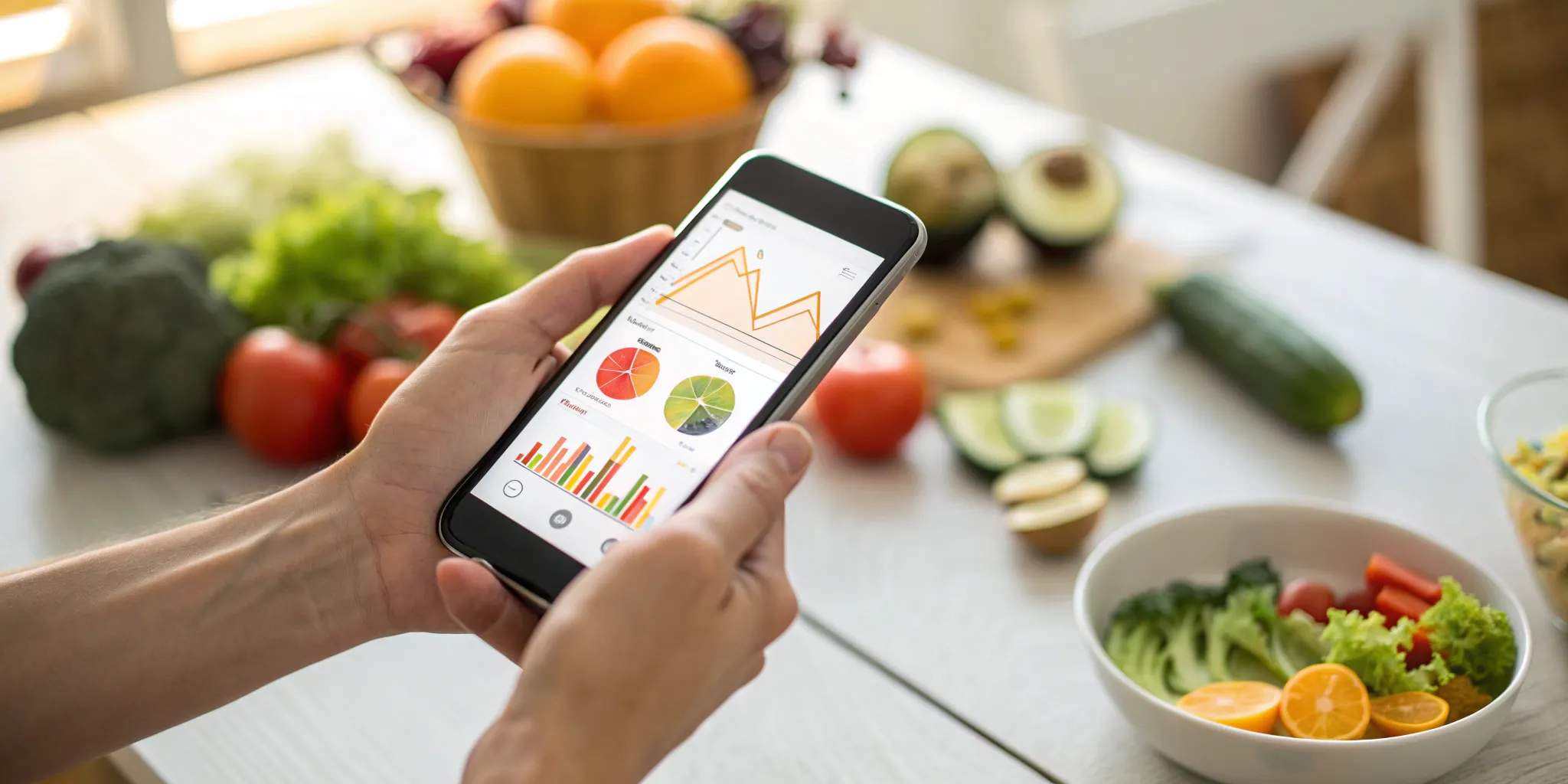
When it comes to your health, a one-size-fits-all approach rarely works. Your body’s response to a banana or a slice of toast is completely unique to you. The generic advice found in books and pamphlets can only take you so far. To make real, sustainable progress, you need a plan tailored to your specific metabolism. Using a diabetes management app with cgm and food log is the most effective way to uncover these personal insights. It empowers you to become an expert on your own body, helping you identify your specific food triggers and learn what truly fuels you best for stable energy and glucose levels.
Key Takeaways
Discover your personal food formula: Combining CGM data with food logging turns abstract diet rules into concrete feedback. You can pinpoint exactly which foods stabilize your glucose and which cause spikes, allowing you to build an eating plan based on your body's unique responses.
Match the app to your needs: Your health goals should determine your choice. A simple app is great for basic tracking, but if you're aiming for significant change, look for a comprehensive program that offers expert guidance and a holistic plan that goes beyond just logging numbers.
Turn data into lasting habits: The most effective apps do more than just show you graphs; they help you understand the why behind your numbers. The goal is to use the data to build consistent, healthy routines around food, activity, and sleep that you can stick with for the long haul.
How Do CGM & Food Logging Apps Help Manage Diabetes?
Managing diabetes often feels like solving a puzzle with missing pieces. You know what you eat matters, and you know your glucose levels are important, but connecting the two can be a challenge. This is where diabetes apps that combine Continuous Glucose Monitoring (CGM) with food logging come in. They provide a clear, real-time picture of how your body responds to your daily choices, turning guesswork into actionable knowledge. By seeing exactly how that morning bagel or afternoon apple affects your glucose, you can start making personalized, confident decisions about your health.
What is CGM Integration?
Think of a CGM as a tiny detective that works for you 24/7. A small sensor, usually worn on your arm or abdomen, measures your glucose levels every few minutes and sends the data wirelessly to an app on your phone. This gives you a constant stream of information, far beyond what you’d get from a few finger pricks a day. While this wealth of data is incredibly powerful for modern diabetes management, it can also feel overwhelming. The key isn't just to collect the data, but to have a system—and often, a support team—that helps you understand what it all means for your personal health goals.
Why Log Your Food?
Logging your food might sound tedious, but it’s one of the most effective ways to understand your body’s unique responses. When you track your meals and snacks in an app, you create a personal food diary that directly corresponds with your glucose data. It’s not about perfection or judgment; it’s about discovery. Research even shows that people who use an app to track their food and glucose have a greater diet adherence rate compared to those using a paper log. It transforms eating from a source of anxiety into an opportunity to learn what truly fuels your body best.
Connecting Food and Glucose in Real-Time
This is where the magic happens. When your CGM data and food log live in the same app, you can see the direct cause-and-effect relationship between your meals and your glucose levels. You can eat a meal and watch on a graph how your body responds in the next hour or two. These apps can simplify diabetes data tracking by showing you patterns over days or weeks, helping you identify which foods are your friends and which might be triggers. This immediate feedback loop is incredibly motivating and empowers you to make informed, personalized adjustments to your diet and lifestyle that lead to real, sustainable results.
Comparing the Best Diabetes Apps with CGM & Food Logging
Choosing the right app to manage your diabetes can feel like a big decision, but it really comes down to finding the tool that fits your life and your goals. Some apps are fantastic for simply logging data, while others offer a more comprehensive, guided experience. The key is to understand what you need most—is it a straightforward tracker, a deep data analysis tool, or a complete lifestyle program?
Think of it like this: you’re the CEO of your health, and these apps are potential members of your team. You want to hire the one that best supports your mission. We’ll walk through some of the most popular options that integrate with CGMs and offer food logging. Each has its own strengths, from user-friendly interfaces designed by people with diabetes to powerful analytics that help you and your doctor see the bigger picture. Let’s look at what makes each one unique so you can find the perfect fit for your health journey.
Heald
Heald is more than just an app; it’s a complete program designed for type 2 diabetes reversal. While it has robust CGM integration and food logging, its real power lies in its holistic approach. The platform connects your real-time data with a dedicated care team of doctors, nutritionists, and behavioral coaches. The focus isn't just on what you eat, but on why you eat it, helping you build sustainable habits around nutrition, activity, sleep, and stress. It’s the best choice if you’re looking for a personalized, expert-guided plan to address the root causes of your condition, rather than just tracking the symptoms.
mySugr
Created by people with diabetes, the mySugr app is known for its friendly and encouraging interface. It’s designed to make the daily grind of diabetes management a little less clinical and a lot more manageable. The app acts as a central hub, storing all your important health information in one place, whether you enter it manually or sync it from a connected device like an Accu-Chek meter. It’s a great all-around logger that helps you see connections between your food, activity, and glucose levels in a simple, straightforward way.
Glucose Buddy
As one of the original diabetes apps, Glucose Buddy has a long-standing reputation for being a reliable and comprehensive tracker. It allows you to log everything from blood sugar and insulin to weight, blood pressure, meals, and exercise. This makes it a solid choice if you want to keep a detailed digital diary of all your health metrics. Its longevity means it has a well-developed set of features that many users find intuitive and helpful for daily management. Many people consider it one of the best diabetes apps for its all-in-one tracking capabilities.
Diabetes:M
If you’re someone who loves data and detailed analysis, Diabetes:M is a powerful tool. It goes beyond basic logging to offer in-depth reports, charts, and statistics that can help you identify patterns in your glucose levels. It also features a bolus advisor that helps calculate insulin doses based on your meals and blood sugar readings. This app is built for the user who wants to get granular with their data and use advanced features to fine-tune their diabetes management strategy. It’s a robust platform for those who want to take a hands-on, analytical approach.
Dexcom Clarity
Dexcom Clarity is less of a daily logger and more of a powerful analytical tool that works with your Dexcom CGM. Its main purpose is to give you a big-picture view of your glucose data. The app provides a comprehensive view of glucose data, allowing you to analyze trends, day-by-day patterns, and time-in-range statistics over weeks or months. This is incredibly useful for appointments with your doctor, as it turns your raw data into clear, actionable insights. Think of it as the report card for your CGM data, helping you and your care team make informed decisions.
FreeStyle LibreLink
The FreeStyle LibreLink app is designed to work seamlessly with the FreeStyle Libre family of sensors. Its primary function is to let you scan your sensor with your smartphone to get a real-time glucose reading, anytime you want. This makes it an incredibly convenient option for on-the-spot monitoring without fingerpricks. While it also tracks your patterns and trends over time, its main appeal is the ease and discretion of checking your glucose levels. It’s a perfect example of how wearable devices have simplified daily diabetes care.
How Do These Apps Track Your Glucose in Real-Time?
The real power of a diabetes management app comes from its ability to connect directly with your continuous glucose monitor (CGM). This connection, usually made via Bluetooth, creates a live feed of your glucose data, sending it straight from the sensor on your body to the app on your phone. Instead of just seeing a single number from a fingerstick, you get a continuous story of where your glucose is and where it’s heading. This real-time information is what allows you to see the immediate impact of a meal or a walk, turning abstract health advice into concrete, personal feedback.
Syncing Your Data Seamlessly
The best apps make data collection effortless by automatically syncing with your health devices. This means no more manually writing down every glucose reading in a notebook. The app becomes your central hub, storing all your important diabetes information in one place. Many apps can connect with a wide range of devices, including various CGMs, blood glucose meters, and even fitness trackers like Google Fit or your Apple Watch. By pulling in data on your glucose, meals, activity, and weight, the app pieces together a complete and accurate picture of your health without you having to do all the heavy lifting.
Getting Smart Alerts and Notifications
Beyond just tracking, these apps act as a proactive partner in your health. They can send you simple reminders to check your blood sugar or log a meal, which helps build consistency. For CGM users, the most valuable feature is the smart alerts that notify you when your glucose levels are trending too high or too low. This gives you the chance to act before your numbers go out of range. These features help simplify daily diabetes tasks, reducing some of the constant mental effort required to manage your condition and giving you greater peace of mind throughout your day.
Seeing Your Glucose Trends and Patterns
A single glucose reading is just one data point, but a pattern tells a story. These apps excel at turning your raw data into clear, visual reports. You can see summaries and graphs of your glucose trends over 7, 14, 30, or even 90 days. This helps you and your care team spot patterns, like how your body responds to certain foods or how your glucose behaves overnight. While a CGM provides a huge amount of data that can sometimes feel overwhelming, seeing it organized visually makes it much easier to understand. It’s how you move from just collecting numbers to gaining actionable insights that lead to real change.
What to Look For in a Diabetes Management App
Choosing the right app is about finding a tool that fits into your life and makes managing your health simpler, not more complicated. With so many options out there, it helps to know what features truly make a difference. A great app doesn't just throw numbers at you; it helps you understand the story behind them. It should feel like a supportive partner on your health journey, giving you the clarity and confidence to make informed decisions every day. Look for an app that prioritizes a clean user experience, actionable insights, and a seamless connection between your data and your daily habits. The best tools empower you with knowledge, helping you see exactly how your choices around food, activity, and sleep affect your glucose levels in real time.
Seamless CGM Connection
Your Continuous Glucose Monitor (CGM) is a powerhouse of information, but all that data can be overwhelming. A top-tier app will connect effortlessly with your CGM and, more importantly, translate that constant stream of data into something you can actually use. The goal isn't just to see your glucose numbers, but to understand them. As researchers note, the sheer amount of data from a CGM can be a "huge challenge." A good app cuts through the noise, highlighting key moments and trends so you can see what’s really going on without feeling buried in information. The connection should be reliable and automatic, so you can trust the data is always up-to-date.
Easy Food Logging and Carb Counting
Let’s be honest: logging every meal can feel like a chore. That’s why the best apps make this process as painless as possible. Look for features like barcode scanning, a comprehensive food database, and the ability to save favorite meals. Some apps even use photo recognition to log your food. The easier it is to do, the more likely you are to stick with it. As one usability study found, one of the biggest hurdles for users is the simple act of logging their food. A well-designed app removes that friction, turning logging from a tedious task into a powerful tool for connecting what you eat with your glucose response.
Clear Reports and Visuals
Numbers on a screen are one thing, but clear, intuitive visuals are what bring your health data to life. A great app will present your glucose trends, meal data, and activity levels in easy-to-read charts and graphs. This helps you spot patterns you might otherwise miss. For instance, you can see how a specific breakfast affects your glucose over several hours or how a walk after dinner helps stabilize your levels. Studies have shown that patients who use apps to track their glucose and carbohydrate intake have better diet adherence than those using paper logs. Visual feedback makes the cause-and-effect relationship between your actions and your health crystal clear.
Options to Share Data with Your Care Team
Managing diabetes is rarely a solo effort. Your app should make it simple to share your progress with your doctor, nutritionist, or health coach. This feature transforms your app from a personal logbook into a collaborative tool. Instead of trying to remember weeks of data for your next appointment, you can grant your care team access to real-time reports. This allows for more productive conversations and personalized advice based on your actual data, not just guesswork. As the experts at diaTribe note, apps can simplify data tracking and make it easier to handle daily tasks. Sharing this data ensures everyone on your team is on the same page, working together to support your goals.
Connecting What You Eat to Your Glucose Levels
One of the biggest challenges in managing diabetes is understanding the direct line between the food on your plate and the numbers on your glucose meter. It often feels like a guessing game. You eat something you think is healthy, only to see your glucose spike an hour later. This is where combining a CGM with a food logging app changes everything. It creates a powerful, real-time feedback loop that turns abstract nutritional advice into concrete, personal data. Instead of just knowing you should avoid certain foods, you can see exactly why and find what truly works for your body.
See How Meals Affect Your Glucose
Imagine eating a meal and then watching, in near real-time, how your body responds. That’s the power of CGM integration. When you log what you eat—some apps even let you snap a quick photo—and sync it with your glucose data, you get a clear visual of the cause and effect. You can see the gentle curve after a balanced, fiber-rich meal versus the sharp peak that follows a bowl of pasta. This immediate feedback is incredibly motivating. It helps you understand your body’s patterns and reinforces positive choices in a way that a simple diet plan never could. It’s less about restriction and more about discovery.
Making Carb Counting Easier
Let’s be honest: manually counting carbohydrates can be tedious and overwhelming. It’s often the reason people give up on tracking their food. Thankfully, modern diabetes apps have made this process so much simpler. Many come with massive food databases, barcode scanners for packaged goods, and restaurant menu information built right in. You can quickly log your breakfast, lunch, and dinner without pulling out a calculator. This technology removes a major barrier, making consistent carbohydrate tracking a manageable part of your daily routine rather than a frustrating chore. It frees up your mental energy to focus on the bigger picture of your health.
Find Your Personal Food Triggers
Generic food lists are a decent starting point, but they don’t account for one crucial factor: you. Your body’s response to food is unique. A banana might be fine for your friend but could send your own glucose soaring. This is where these apps truly shine, helping you become an expert on your own metabolism. By consistently logging your meals and observing your CGM data, you can pinpoint your specific trigger foods with precision. You’ll start to see that it’s not just what you eat, but also how you combine foods. This level of personalized nutrition is key to sustainable, long-term management.
The Pros and Cons of Using a Diabetes App
Diabetes apps can be powerful tools, but they aren't a one-size-fits-all solution. Like any technology, they come with their own set of benefits and challenges. Understanding both sides can help you decide how to best integrate an app into your health plan, making sure it works for you, not against you. The key is to find a balance where the technology supports your goals without adding extra stress to your life. Let's walk through what you can expect.
The Upside: Better Control and Personal Insights
The biggest win of using a diabetes app is the clarity it brings to your daily life. These apps help you track important health metrics like blood sugar levels, meals, and activity all in one place. Instead of guessing how that lunchtime sandwich affected your glucose, you can see the data right on your phone. Studies have shown that this level of tracking can make a real difference; people with type 2 diabetes who use an app can lower their average blood sugar (A1C) over time. Apps like mySugr even aim to make the process less of a chore by simplifying daily management and making the data easy to understand. It’s about turning abstract numbers into actionable insights you can use every day.
The Hurdles: Data Overload and Tech Glitches
On the flip side, sometimes technology can be a headache. One of the biggest challenges with CGMs and their connected apps is the sheer amount of data they provide. Seeing every little fluctuation in your glucose can feel overwhelming and even cause anxiety if you don’t have the context to interpret it. Then there are the technical glitches. An operating system update, a buggy app, or a faulty Bluetooth connection can interrupt the data flow when you need it most. It’s frustrating when the tools designed to make your life easier end up causing more stress. This is where having support to make sense of the data becomes so important.
Tips for a Smoother Experience
So, how do you get the benefits without the burnout? First, pick an app that matches your comfort level with technology. Some are incredibly simple, while others are packed with advanced features. If you're just starting, a certified diabetes care and education specialist (CDCES) can help you figure out what to focus on. Most importantly, keep your healthcare team in the loop. An app is a fantastic tool for gathering information, but it’s not a replacement for professional medical advice. Talk to your doctor or diabetes educator about the app you’re using to ensure it’s the right fit for your overall health plan.
Tips for Overcoming Common App Challenges
Using a diabetes app is a powerful way to manage your health, but it’s not always a seamless experience. From confusing data to tech glitches, it’s normal to hit a few bumps in the road. The key is knowing how to handle them so you can stay focused on your goals. Think of these apps as tools—and like any tool, a little know-how makes all the difference.
Having a dedicated care team to guide you through these hurdles is invaluable. At Heald, we help our members interpret their data and troubleshoot issues so they can get the most out of their technology without the frustration. Here are a few practical tips for handling the most common challenges you might face.
How to Make Sense of the Data
A continuous glucose monitor provides a huge amount of data, and staring at a constant stream of numbers can feel overwhelming. Instead of fixating on every single reading, focus on identifying patterns. Look for the story your data is telling. What happens to your glucose an hour or two after you eat oatmeal versus eggs? How do your levels change overnight or after a walk? Seeing these trends helps you connect your daily choices to your body’s response. This is where a good app shines—it turns raw numbers into clear graphs that show your progress over time, making it easier to spot what’s working.
Troubleshooting Connection Problems
Few things are more frustrating than when your technology doesn’t cooperate. Technical barriers like a lost Bluetooth signal or an app glitch can interrupt your data flow. Before you get too discouraged, try these simple steps. First, make sure your phone’s operating system and the app are both updated. Sometimes, a simple restart of your phone can solve the problem. Check that your Bluetooth is turned on and that your CGM sensor is within range of your phone. If you’re still having issues, don’t hesitate to reach out to the app’s customer support. A good platform will have a team ready to help you get back on track.
Tips for Comfortable CGM Wear
Wearing a sensor 24/7 can take some getting used to. Two of the most common CGM challenges are skin irritation and accidentally catching the device on a doorway or piece of clothing. To keep your skin happy, be sure to rotate your sensor placement sites with each new application. You can also try using a skin barrier wipe before applying the sensor. To keep your CGM secure, consider using an overpatch or adhesive tape, especially if you’re active or during sleep. Being mindful when changing clothes or walking through tight spaces also goes a long way in keeping your sensor safe and sound.
Building a Consistent Food Logging Habit
Logging every meal can feel like a chore at first, but it’s one of the most effective ways to understand your personal food triggers. The trick is to make it a simple, automatic part of your routine. Try to log your food immediately after you eat, when the details are still fresh. Many apps make this easier with features like barcode scanners, photo logging, or a library of common foods. Remember why you’re doing it: each entry is a piece of the puzzle that helps you see exactly how food affects your glucose. Over time, this practice becomes less about tedious tracking and more about gaining powerful insights into your own body.
What's the Cost of a Diabetes Management App?
When you’re ready to commit to a diabetes management app, one of the first questions you’ll likely ask is, "What's this going to cost me?" The answer varies quite a bit, from completely free apps to comprehensive programs with a monthly subscription. Understanding the different pricing models and what you get for your money is key to finding a tool that fits your budget and your health goals. Let's break down what you can expect when it comes to cost.
Understanding Subscription Costs
Most advanced diabetes management apps work on a subscription model. You might find a free version that covers the basics, but the real magic often happens in the paid tiers. For example, the mySugr app offers PRO features that give you more detailed control, like smart search and comprehensive PDF reports you can share with your doctor. These subscriptions are what fund the continuous development of the app, ensuring the technology stays up-to-date and effective. Think of it as an investment in a tool that provides deeper insights and more robust support for your daily management routine.
Using Insurance, FSA, or HSA
Don’t forget to check your benefits. Many comprehensive diabetes management programs and apps are eligible for payment through a Flexible Spending Account (FSA) or Health Savings Account (HSA). This allows you to use pre-tax dollars to pay for the service, making it more affordable. Some apps also partner with device manufacturers to lower costs. For instance, you can sometimes get premium features for free just by connecting a specific device, like an Accu-Chek meter to the mySugr diabetes app. It’s always worth investigating these options to see if you can get high-level support without paying the full price out-of-pocket.
Comparing Free vs. Paid Features
So, is it worth paying for a subscription? While many free apps are great for basic logging, paid versions typically offer features that can make a significant difference in your management. The MyDiabetes app, for example, includes tailored meal plans and weekly grocery lists in its premium version. For anyone who uses insulin or wants to generate detailed reports for their care team, these advanced features are often essential. The general consensus among the best diabetes apps is that paid versions provide the powerful, personalized tools needed for truly effective, long-term management.
How to Choose the Right Diabetes App for You
With so many apps available, finding the right one can feel like a job in itself. The best app for you is the one that fits seamlessly into your life and supports your unique health journey. Think of it less like downloading a tool and more like finding a partner to help you reach your goals. Instead of just picking the one with the most features, take a moment to consider what you truly need to succeed. A little thought upfront can save you a lot of frustration later.
Define Your Personal Health Goals
Before you even look at the app store, ask yourself: What am I trying to accomplish? Are you focused on lowering your A1C, or are you aiming for remission? Do you want to simply log your meals, or do you want to understand precisely how certain foods affect your glucose levels? Some apps are great for basic tracking, while others offer a more comprehensive approach that includes coaching for nutrition, activity, sleep, and stress. Getting clear on your personal goals will help you filter out the noise and find a program that can truly help you manage your health better. The right app should make you feel more involved and in control of your diabetes management.
Check for Device Compatibility
This might sound basic, but it’s a critical step. Nothing is more frustrating than signing up for a program only to find out it doesn’t work with your devices. Before you commit, verify that the app is compatible with your specific smartphone (and its operating system), your CGM model (like Dexcom or FreeStyle Libre), and any other wearable devices you use, such as a fitness tracker or smart scale. A quick check of the app’s requirements in the app store or on its website can prevent technical headaches and ensure your data syncs smoothly from day one. This ensures you get a complete and accurate picture of your health without any glitches.
Look for a Trial Period or Guarantee
The best way to know if an app works for you is to try it yourself. Many apps offer similar features on the surface, but their user experience can be vastly different. Look for apps that offer a free trial period or a money-back guarantee. This gives you a risk-free opportunity to see how easy it is to log food, if the interface feels intuitive, and whether the insights it provides are genuinely helpful. A company that offers a guarantee is showing confidence in its program's ability to deliver results. It’s a great way to ensure you’re investing in a solution that you’ll stick with for the long haul.